

Check out your usage page regularly
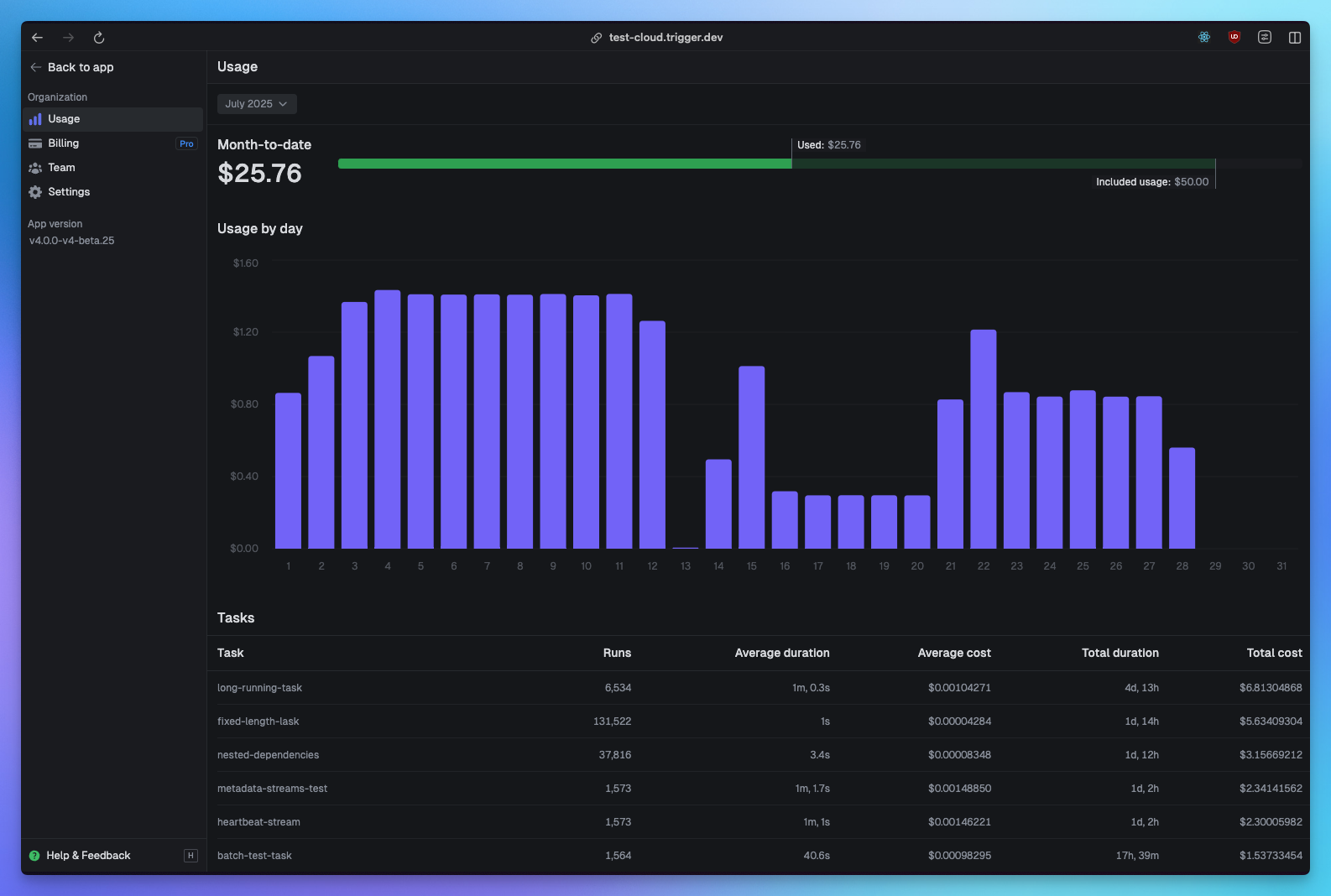
Monitor your usage dashboard to understand your spending patterns. You can see:- Your most expensive tasks
- Your total duration by task
- Number of runs by task
- Spikes in your daily usage
Create billing alerts
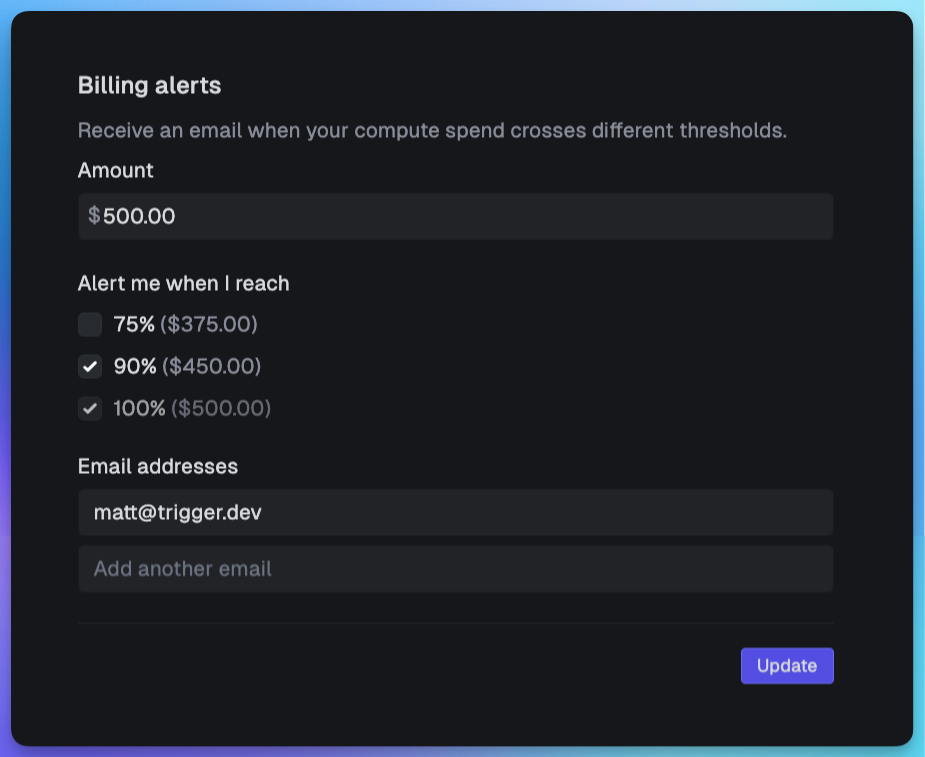
Configure billing alerts in your dashboard to get notified when you approach spending thresholds. This helps you:- Catch unexpected cost increases early
- Identify runaway tasks before they become expensive
- Standard alerts: Get notified at 75%, 90%, 100%, 200%, and 500% of your monthly budget
- Spike alerts: Catch runaway usage from bugs or errors with alerts at 10x (1000%), 20x (2000%), 50x (5000%), and 100x (10000%) of your monthly budget. We recommend keeping these enabled as a safety net.
Reduce your machine sizes
The larger the machine, the more it costs per second. View the machine pricing. Start with the smallest machine that works, then scale up only if needed:Avoid duplicate work using idempotencyKey
Idempotency keys prevent expensive duplicate work by ensuring the same operation isn’t performed multiple times. This is especially valuable during task retries or when the same trigger might fire multiple times. When you use an idempotency key, Trigger.dev remembers the result and skips re-execution, saving you compute costs:idempotencyKeyTTL controls how long the result is cached. Use shorter TTLs (like “1h”) for time-sensitive operations, or longer ones (up to 30 days default) for expensive operations that rarely need re-execution. This prevents both unnecessary duplicate work and stale data issues.
Do more work in parallel in a single task
Sometimes it’s more efficient to do more work in a single task than split across many. This is particularly true when you’re doing lots of async work such as API calls – most of the time is spent waiting, so it’s an ideal candidate for doing calls in parallel inside the same task.Don’t needlessly retry
When an error is thrown in a task, your run will be automatically reattempted based on your retry settings. Try setting lowermaxAttempts for less critical tasks:
Use appropriate maxDuration settings
Set realistic maxDurations to prevent runs from executing for too long:Use waitpoints instead of polling
Waits longer than 5 seconds automatically checkpoint your task, meaning you don’t pay for compute while waiting. Usewait.for(), wait.until(), or triggerAndWait() instead of polling loops.