

maxComputeSeconds parameter sets a maximum compute time limit for tasks. When a task exceeds this duration, it will be automatically stopped. This helps prevent runaway tasks and manage compute resources effectively.
maxDuration replaces the deprecated maxComputeSeconds parameter. Both work the same way, but we recommend using maxDuration for clarity.trigger.config.ts file, which will apply to all tasks unless overridden:
/config/trigger.config.ts
The minimum maxComputeSeconds is 5 seconds. If you want to avoid timeouts, set this value to a very large number of seconds.
maxComputeSeconds for a run in the following ways:
- Across all your tasks in the config
- On a specific task
- On a specific run when you trigger a task
How it works
ThemaxComputeSeconds is set in seconds, and is compared to the CPU time elapsed since the start of a single execution (which we call attempts) of the task. The CPU time is the time that the task has been actively running on the CPU, and does not include time spent waiting during the following:
wait.forcallstriggerAndWaitcallsbatchTriggerAndWaitcalls
usage utility:
/trigger/max-duration.ts
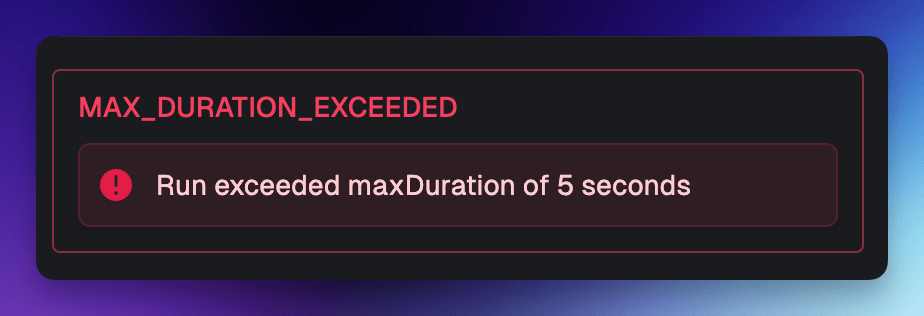
maxComputeSeconds you set. If the task exceeds the maxComputeSeconds, it will be stopped with the following error:
Configuring for a task
You can set amaxComputeSeconds on a specific task:
/trigger/max-duration-task.ts
maxComputeSeconds set in the config file. If you have a config file with a default maxComputeSeconds of 60 seconds, and you set a maxComputeSeconds of 300 seconds on a task, the task will run for 300 seconds.
You can “turn off” the Max duration set in your config file for a specific task like so:
/trigger/max-duration-task.ts
Configuring for a run
You can set amaxComputeSeconds on a specific run when you trigger a task:
/trigger/max-duration.ts
maxComputeSeconds to timeout.None to turn off the max duration for a specific run:
/trigger/max-duration.ts
maxComputeSeconds in run context
You can access themaxComputeSeconds set for a run in the run context:
/trigger/max-duration-task.ts
maxComputeSeconds and lifecycle functions
When a task run exceeds themaxComputeSeconds, the lifecycle functions cleanup, onSuccess, and onFailure will not be called.